Check-in that keeps the line moving
Search by name, check people in at the desk, and see live counts of who is here and who is still expected.
The whole desk on one screen
Everyone expected that day on one list, with grade, age, session, group and leaders, allergy and medical flags, and a note icon when there is something to read. One tap checks a person in, and every other desk sees it within a second.
Type a name and press Enter to check in the one match, so a desk with a laptop needs no mouse.
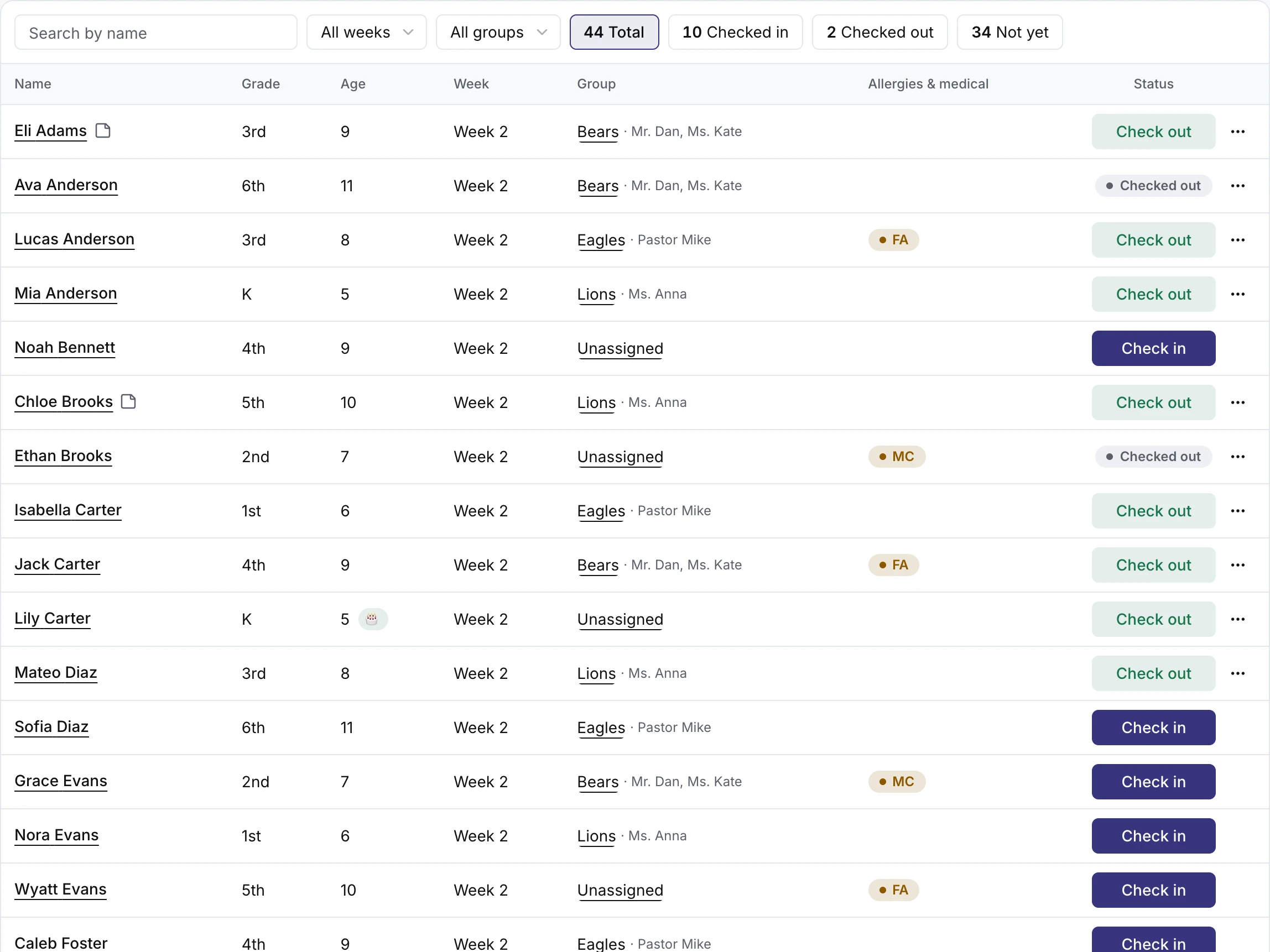
Everything in check-in
Search at the desk
Type “First Last” or “Last, First” and the right person comes up.
Live counts
Totals for checked in, checked out and still expected, which also work as filters, the same on every desk as they change.
Groups and rotations
Put people in groups with leaders and a room, filter the desk by group, move someone from the desk, and copy the setup from another event.
Flags and notes
Food-allergy and medical flags, the emergency contact, answers marked to show at check-in, and notes volunteers leave for each other, with who wrote them and when.
Check-out when you want it
Turn check-out on for an event and the desk shows who has left. A mistaken tap is undone right on the row.
A Staff role for volunteers
Staff log in and run the desk, groups and reports, and never see money or settings.
Attendance over time
Who came on which day, who has missed several days in a row with a number to call, birthdays by month, and a log of every check-in, check-out and note.
Paper and CSV
Rosters by group, the attendance grid and a call list, printed or downloaded, and a kitchen sheet with the day’s food allergies.
Check-in is included in every plan
- Free for events up to 250 people
- No fees on your tickets
- Paid adds lodging, bigger events and unlimited users
Check-in FAQ
Is check-in on the Free plan?
Yes. Attendance and check-in are in both plans.
Can several people run check-in at once?
Yes. Open the desk on as many laptops, tablets or phones as you like. They all show the same list, and a check-in on one appears on the others within a second.
Do people have to check out?
Only if you want them to. Check-out is turned on or off for each event.
What do volunteers at the desk see?
The list for the day, each person’s details and answers, groups and reports. A Staff account never sees payments, event settings or your team.
Can I see who has stopped coming?
Yes. A report lists everyone who has missed several days in a row, counting back from the latest day, with a phone number to call.
Who it’s for
EventQuarters for Schools
Field trips, clubs, concerts, camps.
See howEventQuarters for Sports events
Leagues, tournaments, tryouts, sports camps.
See howEventQuarters for Camps
Day camps, overnight camps, weekly sessions.
See howEventQuarters for Churches
VBS, retreats, youth camps, conferences.
See how